
Install days, service visits and the permit inspection, in one place.
Install crews get their people, truck and equipment for each day, service calls come in on a response clock, and in California the reroof or solar inspection can be captured to the city’s protocol and sent to the inspector as one link.
Solar and roofing contractors
Install days with the right crew and gear
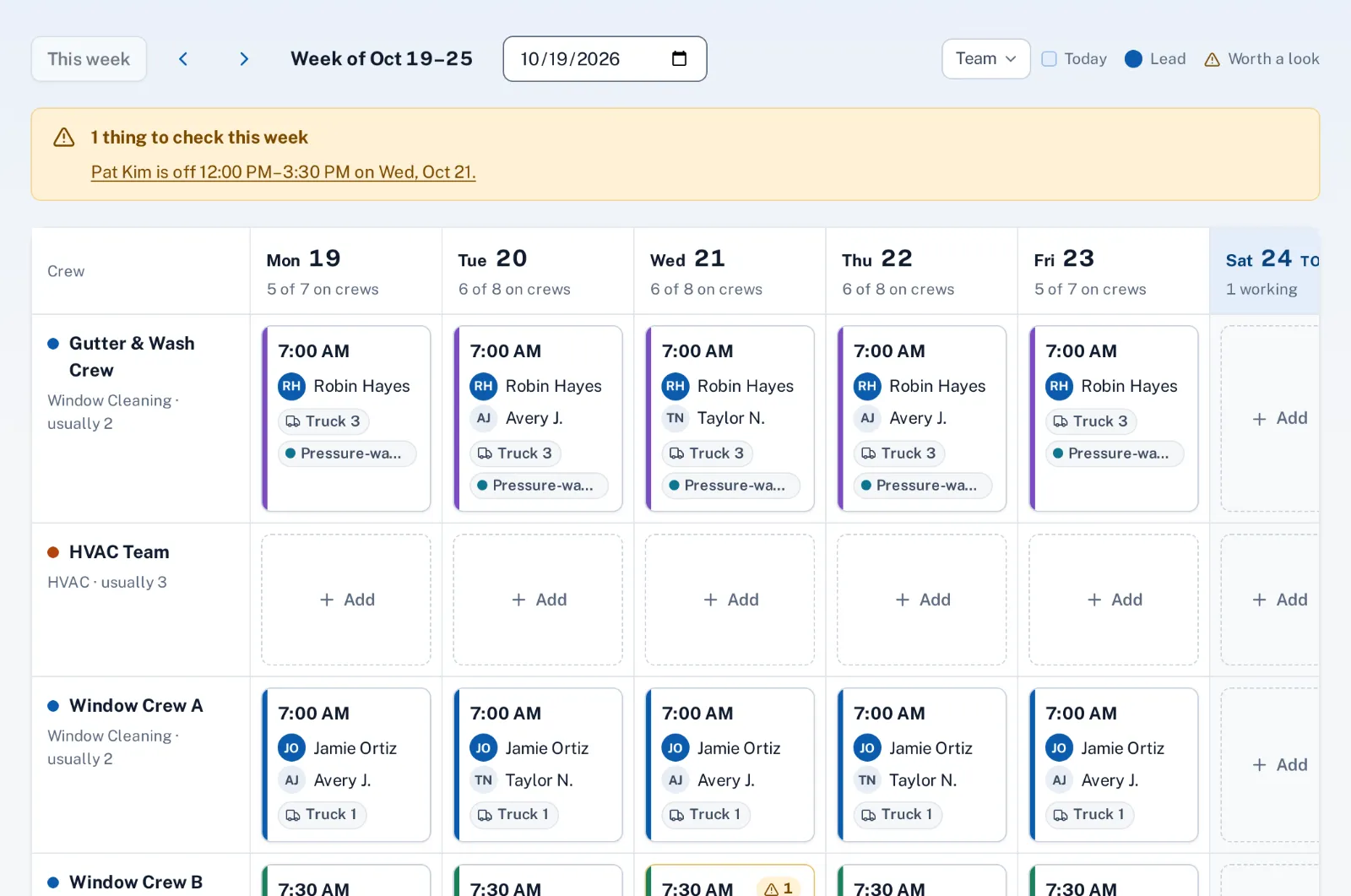
A multi-day install is a set of visits on the schedule. Each crew day has its people, a truck and a start time, and lifts, trailers and other equipment are booked against it, so the same gear can’t be promised to two roofs.
Drive time to each site is planned for you, and the schedule warns about time off, hours and double-booked equipment before anyone leaves the yard.
Service calls and maintenance after the install
Leaks, inverter questions and panel cleaning requests come in from the request button on your website, the AI chat, email and the phone, each with a response time. Annual panel cleanings or roof checks can be recurring jobs that come due in their month.
Crews close each visit in the crew app with after photos, the job type’s questions and, when you require it, the homeowner’s signature.
The permit inspection, captured remotely
California’s AB 1738 makes cities and counties offer remote inspections for residential reroofs and rooftop solar with batteries, among other home energy work. With remote inspections, your technician or the homeowner follows guided photo and video steps in the Sentra Inspect app, built from a template you match to your jurisdiction’s protocol.
The homeowner’s written consent is collected first. Your office reviews every file, then sends the building department one expiring link with a signed package, and the inspector records the result on it. Check your jurisdiction’s protocol for what it accepts. If it inspects over a call, use live video inspections: the inspector joins from a link and the call is recorded into the same package.
How it works
- Office
Install is booked
Visits for each install day on the schedule.
- Office
Crew days set
People, a truck, a start time and the equipment for each day.
- Crew
Work and close-out
After photos and the job type’s questions in the crew app.
- Crew
Inspection captured
Guided photo and video steps, with the homeowner’s consent.
- Automatic
Inspector gets one link
A signed package; the result is recorded on the link.
Why it fits
Crew days with equipment
People, a truck, a start time and the lift or trailer, day by day.
Multi-day installs
One visit per day on the schedule, each on the crew that does it.
Service calls on a clock
Leaks and system questions with response times in business hours.
Recurring maintenance
Panel cleanings and roof checks due in their month.
Remote permit inspections
Guided capture, homeowner consent and one link for the inspector.
Proof on every visit
After photos, close-out questions and a signed ticket.
Explore the features
Crew days & trucks
Who works together, in which truck, from what time
Learn moreSchedule
Day and week lanes per crew, drag to schedule, drive time between visits
Learn moreRecurring jobs
Weekly, monthly, quarterly or on-call work, with the visits made for you
Learn moreCrew app
Today’s jobs, the route and close-out on a phone or iPad
Learn moreProof of work
After photos and required answers before a job can close
Learn moreRequest widget
One script tag adds a “Request service” button to your website
Learn moreCommon questions
Which inspections does AB 1738 cover?
Among others, residential reroofs and rooftop solar with batteries. See remote inspections for the list and the deadlines, and check your jurisdiction’s protocol.
Does the inspector need an account?
No. The building department gets one expiring link to the files and the signed package, and records the result there.
Do you file the permit for us?
No. Sentra Scheduler captures and shares the inspection evidence; permits are filed with the building department as you do today.
Can we plan the install crew’s equipment?
Yes. Lifts, trailers and other equipment are booked to a crew day or a visit, with a warning when anything is booked twice.
Do you do solar design or proposals?
No. Sentra Scheduler starts once the job is sold: scheduling, crews, service, proof of work and the inspection.