
Who’s on the crew, which truck, what time.
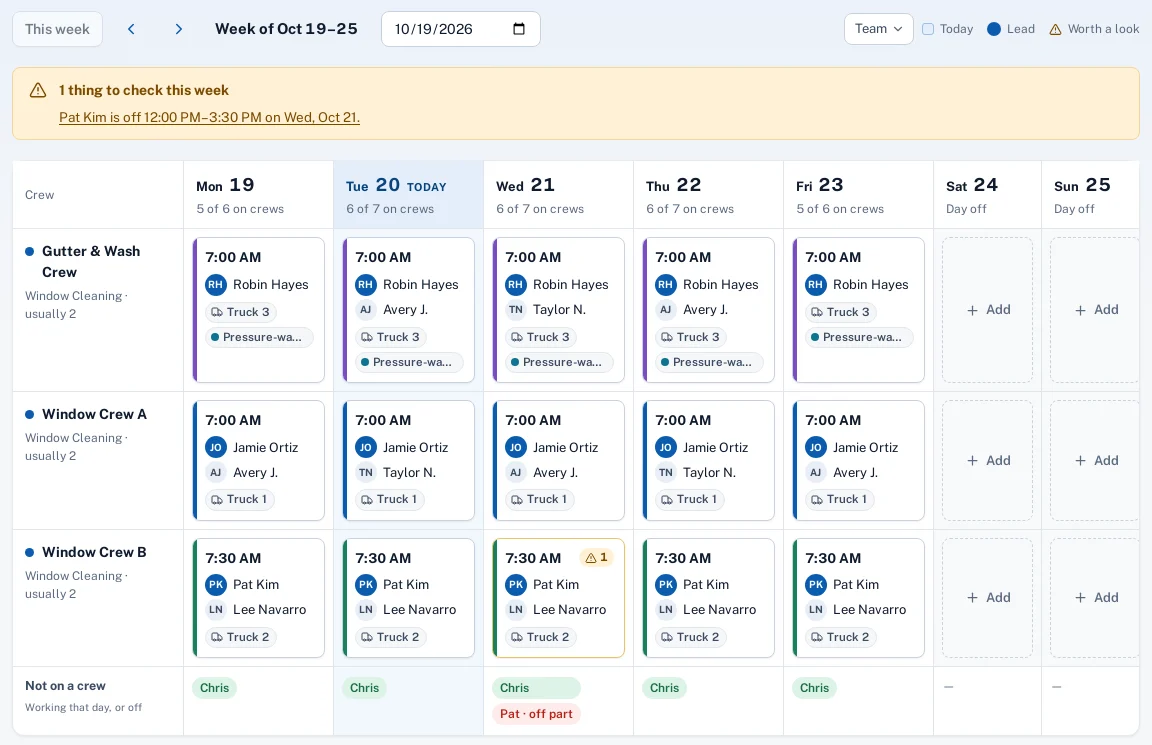
Each day a crew gets its people, a truck and a start time. Vehicles and equipment are booked against the schedule, and each technician’s working hours and time off are checked on every visit you place.
Why it matters
The crew sheet on the wall says who rides together, but the schedule doesn’t know it, so the same truck ends up on two crews and someone gets booked on their day off.
In practice
- A window cleaning company. Crew A takes the boom lift on Tuesday. When the office drops a high-rise visit for Crew B on the same day, the card shows “Equipment booked twice”.
- An HVAC company. A technician has a dentist appointment Thursday from 1 to 3. Visits dropped in that window show “Technician is off”.
How it works
Set up the week’s crews
People, a truck and a start time per crew per day. Copy yesterday or last week when nothing changes.
Add vehicles and equipment
Trucks, lifts, ladders and water-fed poles, booked to a crew day or a single visit.
Enter hours and time off
Weekly working hours per technician, and time off for a day or part of one.
Schedule against it
The schedule warns when a visit runs past hours, into time off or onto a booked truck.
Key features
Crew days
The crew, its lead, its truck and a start time, day by day.
Vehicles and equipment
One list of trucks and gear, with a warning when anything is booked twice.
Working hours
Each technician’s usual hours by weekday, used to size the schedule.
Time off
Vacation, sick time and appointments, all day or for a few hours.
Lunch and breaks
A company default, adjustable per crew day; the schedule plans around them.
Borrowed for the day
A technician lent to another crew sees that crew’s visits for that date only.
Common questions
Do we have to use crews?
No. Technicians who work alone get their own lane. Crews are for companies that send people out together.
Does the crew app show the truck?
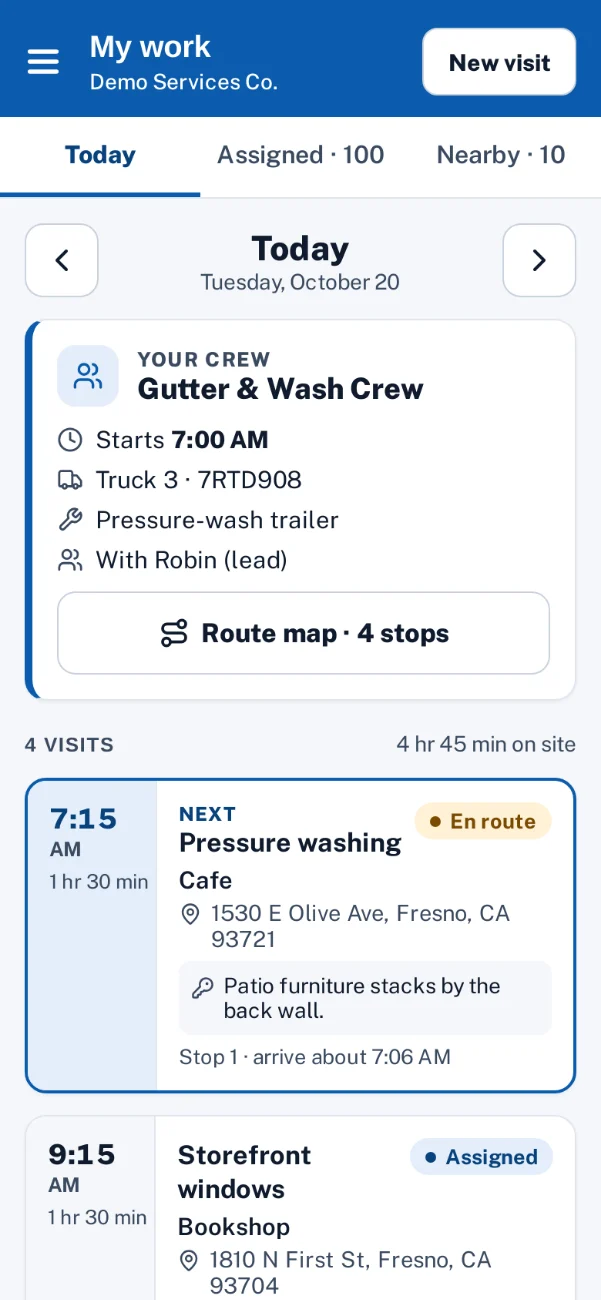
Yes. The Today screen shows the crew, the truck and the start time.
Is this timekeeping?
No. Hours here are planned availability for scheduling. There’s no clock-in or timesheet.