
Periodic cleaning across every building, without the spreadsheet.
Floor stripping, carpet extraction, high dusting and window work become recurring jobs at each building, due in the right month. Requests from building managers come in from your website and email, and every visit closes with photos and a signature.
Commercial cleaning and janitorial companies
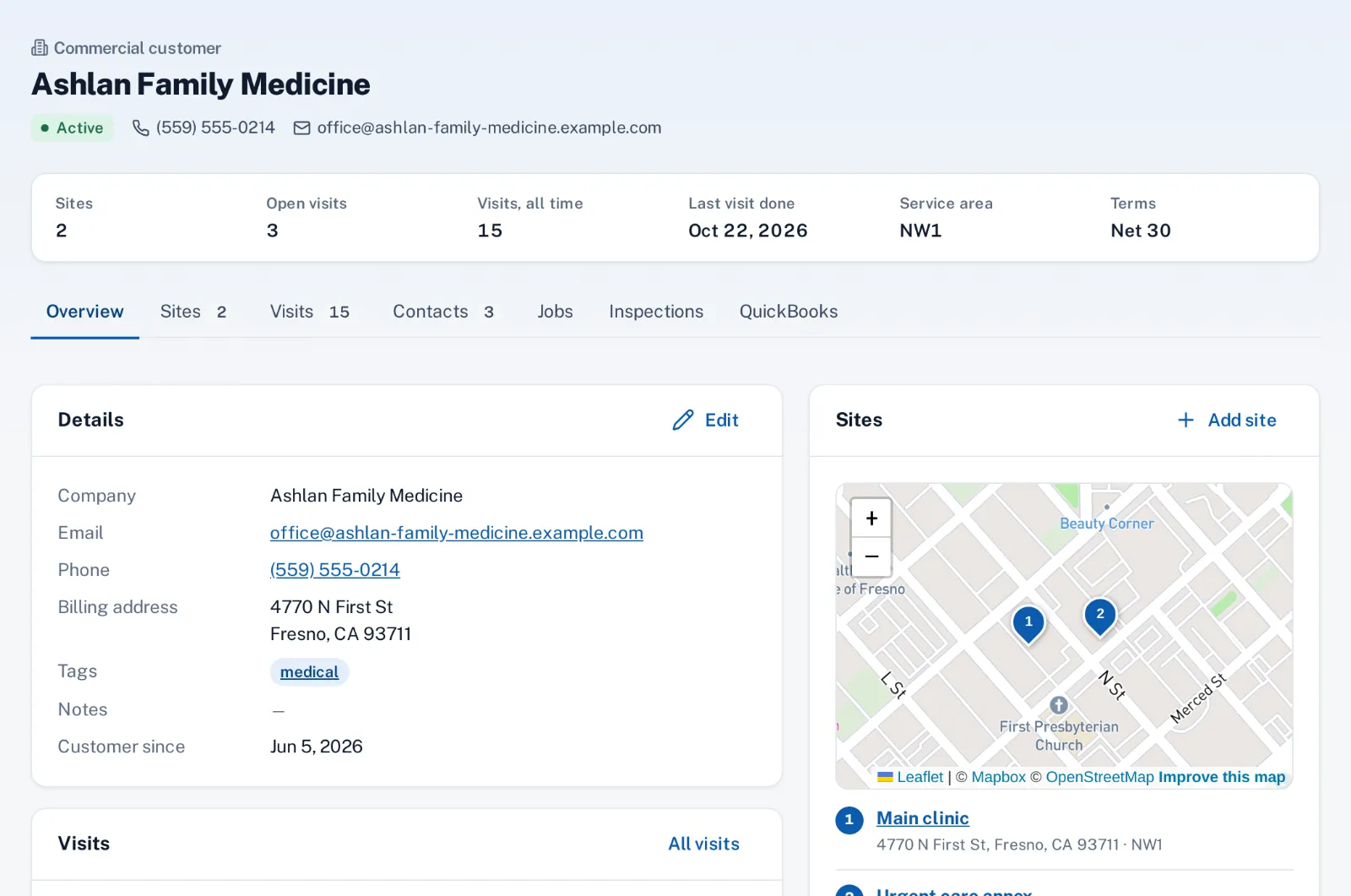
One customer, many buildings
A property manager or a school district is one customer with a site for each building, each with its own access notes and on-site contact. Bring the list in from QuickBooks Online or Desktop, where sub-customers become sites under the parent.
The work that isn’t nightly lives on each site as a recurring job: strip and wax twice a year, carpet extraction every quarter, exterior glass monthly. Each job carries its hours, crew size and price per visit, and the annual value adds up per customer.
Crews that show up with the right machine
Visits wait in the week they’re due. On the schedule, drop them on a crew day that already has its people, a van and a start time. Floor machines and extractors are booked like trucks on crew days, so two crews can’t plan on the same burnisher.
Drive time between buildings is planned for you, and lunch and breaks are left open. When a job runs long, Push the rest of the day moves the crew’s later visits back in one step.
Proof the building manager can see
Each job type can require an after photo and close-out questions, such as which floors were done, before the visit closes in the crew app. The site contact signs on the phone and gets the signed ticket by email.
Between scheduled visits, a manager reports a spill or a missed restroom from the request button on your website or by email, and it lands on the job board with a response time.
How it works
- Office
Buildings and periodic work
Each building is a site; floor care and carpets are recurring jobs due in their month.
- Automatic
Visits are due
This month’s periodic work waits in the schedule’s tray.
- Office
Office books the crews
Crew days with a van, a start time and the floor machine.
- Crew
Crew cleans and closes
After photos, the job type’s questions and the manager’s signature.
- Automatic
Ticket sent
The signed ticket goes to the building’s contact.
Why it fits
Many sites per customer
Each building with its own access notes and on-site contact.
Periodic work in the right month
Strip and wax, carpet extraction and high dusting as recurring jobs.
Machines booked like trucks
Floor machines and extractors can’t land on two crews at once.
After photos on every visit
A job type can require them before the visit closes.
Signed tickets for managers
A signature on the phone and a PDF ticket in the site contact’s inbox.
Requests between visits
Managers report problems from your website or by email.
Explore the features
Customers & sites
Every customer, their locations, contacts, jobs and visits
Learn moreRecurring jobs
Weekly, monthly, quarterly or on-call work, with the visits made for you
Learn moreCrew days & trucks
Who works together, in which truck, from what time
Learn moreProof of work
After photos and required answers before a job can close
Learn moreCustomer sign-off
The customer signs on the phone; a PDF ticket goes to the site contact
Learn moreEmail to job
Customer emails land in a review inbox; file a job in one click
Learn moreCommon questions
Can we schedule nightly cleaning routes?
Not as recurring jobs: the most often a job can repeat is weekly. Sentra Scheduler fits weekly and periodic work, like a weekly office clean, floor care and carpets, plus requests and one-off visits.
Can a building have several services on different cycles?
Yes. Each service at a site is its own recurring job with its own months, hours and price.
Can the building manager sign for the work?
Yes. The crew hands over the phone at close-out, or records why nobody signed, and the signed ticket goes to the site contact.
Can we import our buildings from QuickBooks?
Yes, from QuickBooks Online or Desktop. Sub-customers can come in as sites under the parent customer.