
Put the week’s visits on the schedule, with the drive in between.
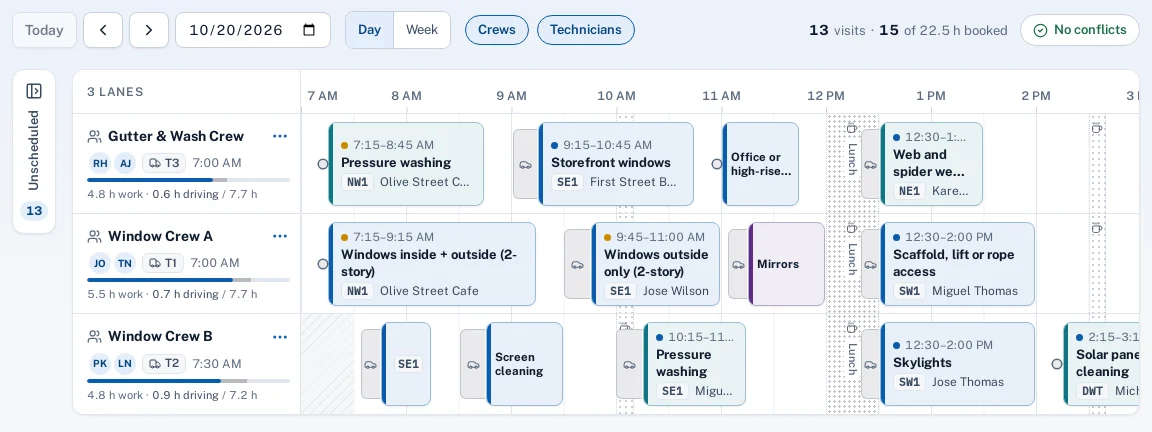
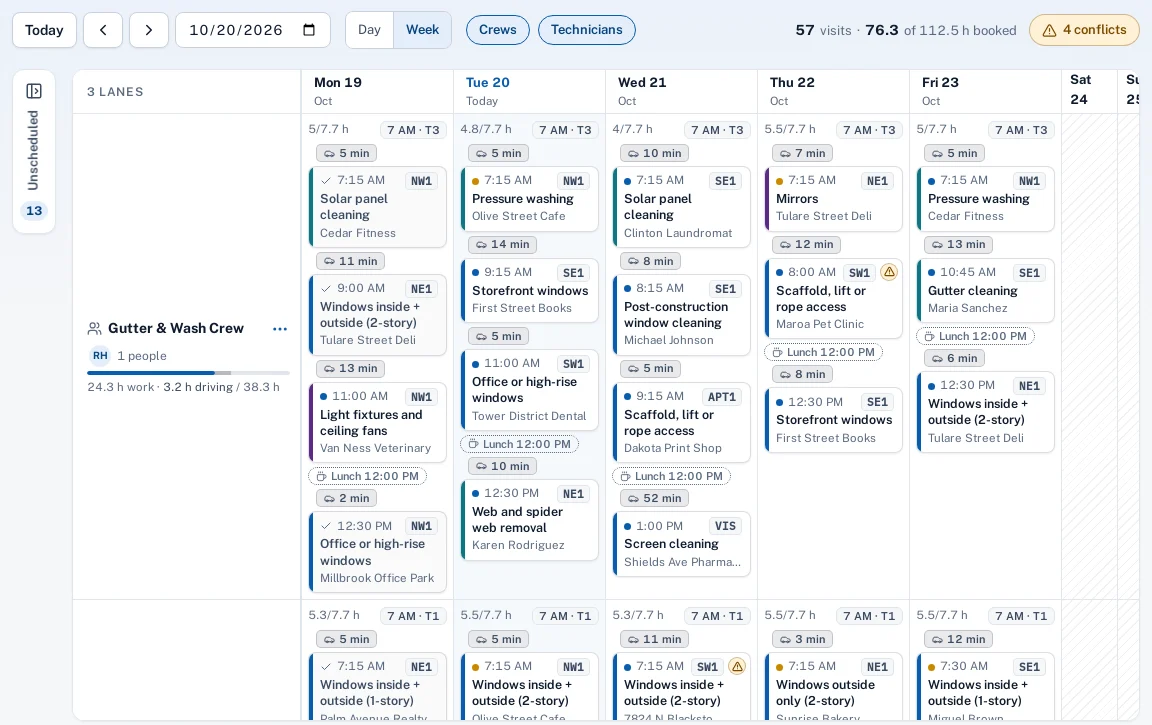
A lane for each crew or technician, by day or by week. Drag visits from the unscheduled tray onto a lane; Sentra Scheduler leaves time for the drive from the last stop, steps around lunch, and tells you about conflicts before you leave the page.
Why it matters
Most schedules live on a whiteboard or in a spreadsheet, so nobody sees that the crew can’t get across town in ten minutes, or that the lift is already booked, until the morning it goes wrong.
In practice
- A window cleaning company. Monday’s tray holds 14 quarterly storefronts. The office drags them onto two crews; the second stop on Crew B snaps to 10:25 because the drive from the first one takes 18 minutes.
- An HVAC company. A tune-up dropped on a technician who is off Friday afternoon shows “Technician is off” on the card, so the office moves it to Thursday before anyone calls the customer.
How it works
Open the week
Visits due this week and not yet scheduled wait in the tray, with their customer, site and hours.
Drag onto a lane
Drop a visit on a crew or technician. It snaps to the next start that leaves time to drive there.
Check the conflicts
Overlaps, time off, hours, equipment and drive time show on the card and in a list.
The day is ready
Routes, the crew app’s Today screen and the office all read from the same schedule.
Key features
Drive time between visits
Real street drive times from your office to the first stop and between stops, drawn on the lane.
Snaps to a start that works
A dropped visit moves to the first time that leaves room for the drive and skips breaks.
Conflicts before they happen
Overlaps, time off, outside hours, equipment booked twice, outside the due window and not enough drive time.
Day and week views
A lane per crew or technician, with each crew’s truck and start time at the top of its lane.
Undo on every move
Every drop saves at once, with Undo, and every card also opens a keyboard dialog.
Rain-day moves
Move a day’s or a crew’s visits to another day, preview it, and email the affected customers if you choose.
Common questions
Does the schedule replace dispatch?
They work together. Routes for each day follow the schedule, in the order and at the times you set. See dispatch and routes.
Where do drive times come from?
Street routing between the addresses, starting from your office for the first visit of the day. It’s included in the plan.
Can a conflict be saved anyway?
Yes. Conflicts are warnings; the visit saves and the conflict stays listed until it’s fixed.
Do customers get an appointment time?
Not yet. Visits are scheduled for the office and the crews; customer emails go out when work starts, when it’s done and when a rain day moves it.