
Pest control routes that keep every quarterly service on time.
Each home and business on a service plan becomes a recurring job that lands in the right month. New calls come in from your website and the phone, technicians close each stop with the answers you require, and customers know when you’re coming.
Pest control companies
Service plans that come due on their own
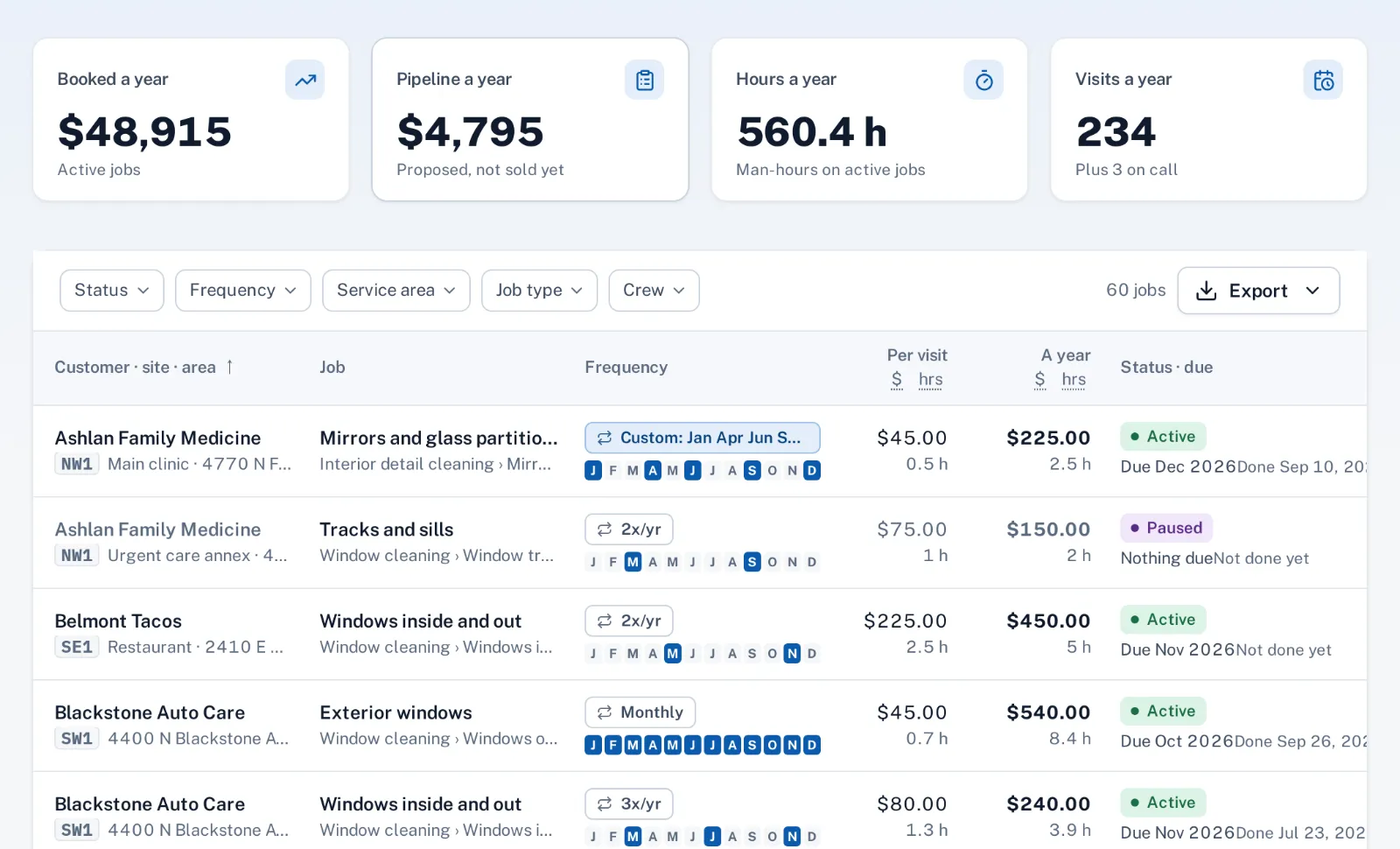
A quarterly perimeter treatment, a monthly restaurant service or a yearly termite inspection is a recurring job at the customer’s site, with its months, the week of the month, the time on site and the price per visit. Visits show up in the week they’re due, so nothing depends on someone remembering to call the customer back.
Moving from another system? Bring customers in from QuickBooks Online or Desktop, and the service list you keep in a spreadsheet through the job spreadsheet import, with a dry run before anything is saved.
A day that fits in the truck
On the schedule, drop the week’s visits onto each technician. Sentra Scheduler leaves time to drive between stops, plans around breaks and warns about time off. Routes by day follow the schedule, and you can rearrange a route’s stops when a customer asks for the afternoon.
Customers are promised an arrival window, get a reminder the day before so the gate is open and the dog is inside, and an email when the technician taps On my way.
Close-out that answers the follow-up questions
Each job type can ask its own close-out questions before a visit can close: areas treated, what was used, activity seen. Add a required after photo for bait stations or a sealed entry point.
Commercial accounts can sign on the technician’s phone, and the signed ticket goes to the site contact as a PDF. Callbacks come in like any new request, from the website button, a call or an email.
How it works
- Automatic
Plans come due
Each service plan’s visits wait in the week they’re due, with new calls and callbacks.
- Office
Office builds the day
Visits dropped onto technicians, with drive time, breaks and time off checked.
- Automatic
Customer is told
An arrival window, a reminder the day before and On my way.
- Technician
Technician closes the stop
Required answers, after photos and, for businesses, a signature.
Why it fits
Quarterly, monthly or yearly
Months and week of the month set once per service plan.
Routes from the schedule
Each technician’s day in driving order, with drive time between stops.
Arrival windows and reminders
A promised window, a reminder the day before and On my way, by email.
Answers before close
Required close-out questions and photos for each type of service.
Signed service tickets
A signature on the phone and a PDF for the site contact.
Callbacks as new requests
From your website, the chat, a phone call or an email.
Explore the features
Recurring jobs
Weekly, monthly, quarterly or on-call work, with the visits made for you
Learn moreSchedule
Day and week lanes per crew, drag to schedule, drive time between visits
Learn moreDispatch & routes
The day’s routes from the schedule, along real streets
Learn moreArrival windows
An arrival window, a reminder the day before and On my way
Learn moreProof of work
After photos and required answers before a job can close
Learn moreCustomer sign-off
The customer signs on the phone; a PDF ticket goes to the site contact
Learn moreCommon questions
Does it keep pesticide application records for the state?
Not as a dedicated report. Many companies add close-out questions to the job type, such as product used, amount and areas treated, and make them required; the answers stay on each visit and in the job’s history.
Can one customer have several services?
Yes. Each service is its own recurring job at the site, with its own months, time on site and price.
Can a callback be scheduled for the same technician?
Yes. A callback comes in as a request; drop it on that technician’s lane on the schedule, and the drive time is checked as you drop it.
Do customers get text messages?
Not today. Customers get emails for the booking, the reminder the day before and On my way, plus a tracking page.