
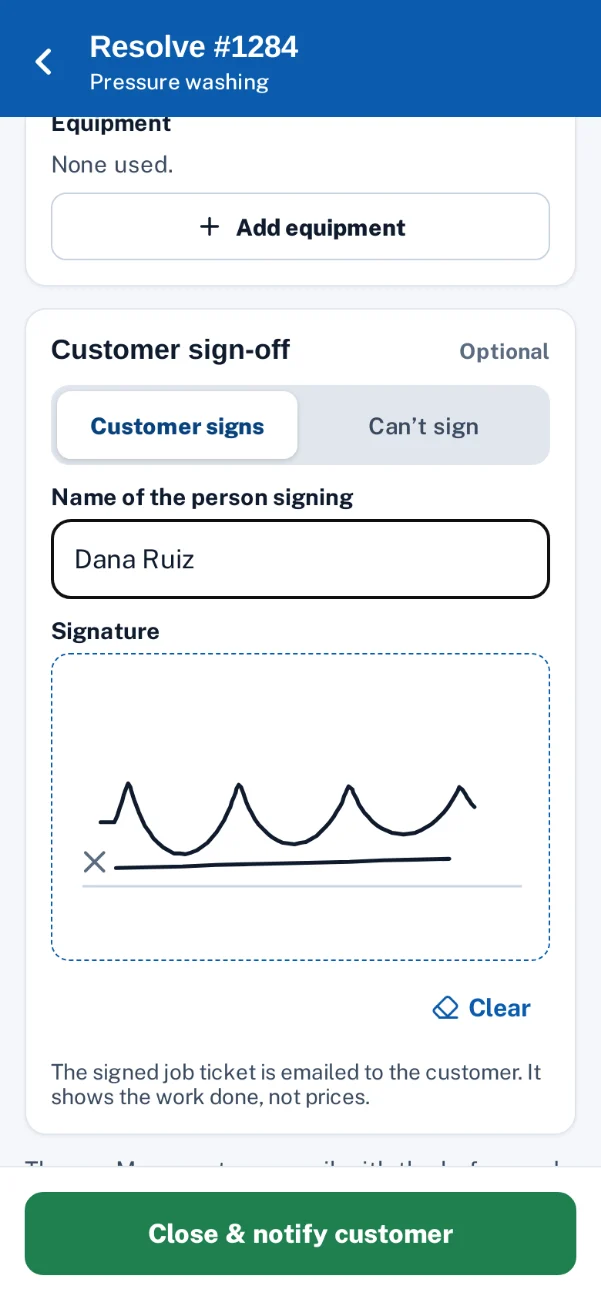
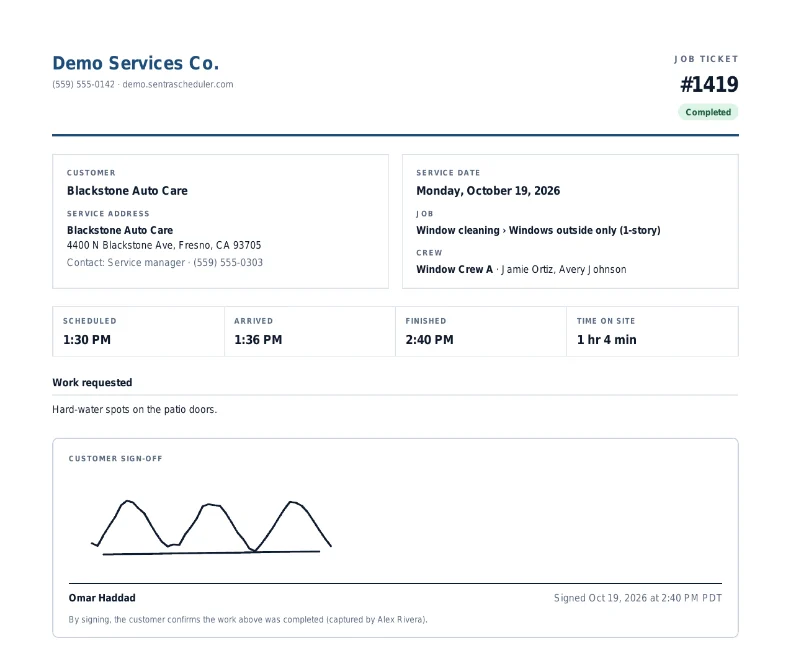
The customer signs on the phone. The signed ticket is in their inbox.
At close-out the technician hands over the phone, the customer signs with a finger and types their name, and a job ticket PDF with the work done, the crew, the times and the signature is emailed to the site contact.
Why it matters
Paper tickets get wet, lost or signed illegibly, and a month later nobody can show that the customer was there and agreed the work was done.
In practice
- A window cleaning company. At a medical office, the front desk signs on the technician’s phone at 10:01, and the office manager has the signed ticket in her inbox before the crew reaches the next stop.
- An HVAC company. At a restaurant after closing, nobody is on site. The technician chooses “Nobody on site”, the visit closes, and the office sees why there’s no signature.
How it works
Close out the visit
Photos, answers and the work done, as for any job.
Hand over the phone
The customer types their name and signs with a finger, a pen or a mouse.
Nobody to sign?
The technician picks a reason, such as “Office closed”, and the visit still closes.
Ticket emailed
The signed PDF ticket goes to the site contact, and the office can send it again.
Key features
Required per job type
Turn sign-off on for the job types that need it, like commercial contracts.
A clear job ticket
Company, customer, site, crew, arrive and finish times, work done and the signature, with no prices.
Emailed to the site contact
Sent when the visit closes, and from the visit page again whenever needed.
Kept on the visit
The signature, the name and the time are saved with the visit for the office.
Works on any phone
A signature pad in the crew app’s close-out, by finger, pen or mouse.
Can’t-sign path
A reason instead of a signature, so a closed site never blocks the close-out. The office sees the reason on the visit.
Common questions
Does the ticket show prices?
No. The ticket lists the work, the crew and the times. Prices stay in the office.
Is it in the iPhone and Android apps?
Sign-off is in the crew app in the phone’s browser today. The native apps get it later.
Can the office resend a ticket?
Yes. Send it again from the visit page, to the site contact or another address.