
Bring your customers in from QuickBooks.
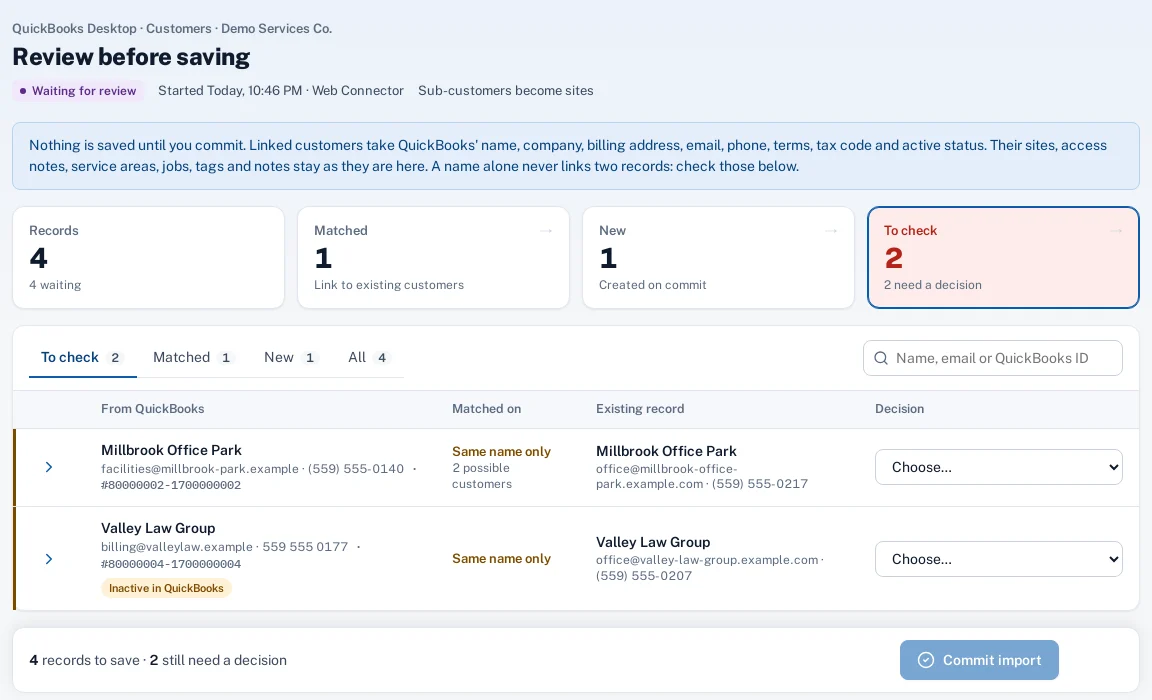
Connect QuickBooks Online, or QuickBooks Desktop through the Web Connector. Customers and service items come in for review: matches are linked, new records are created only when you say so, and nothing in QuickBooks changes.
Why it matters
Retyping hundreds of customers from the accounting file is a week of work, and doing it twice means two spellings of every name.
In practice
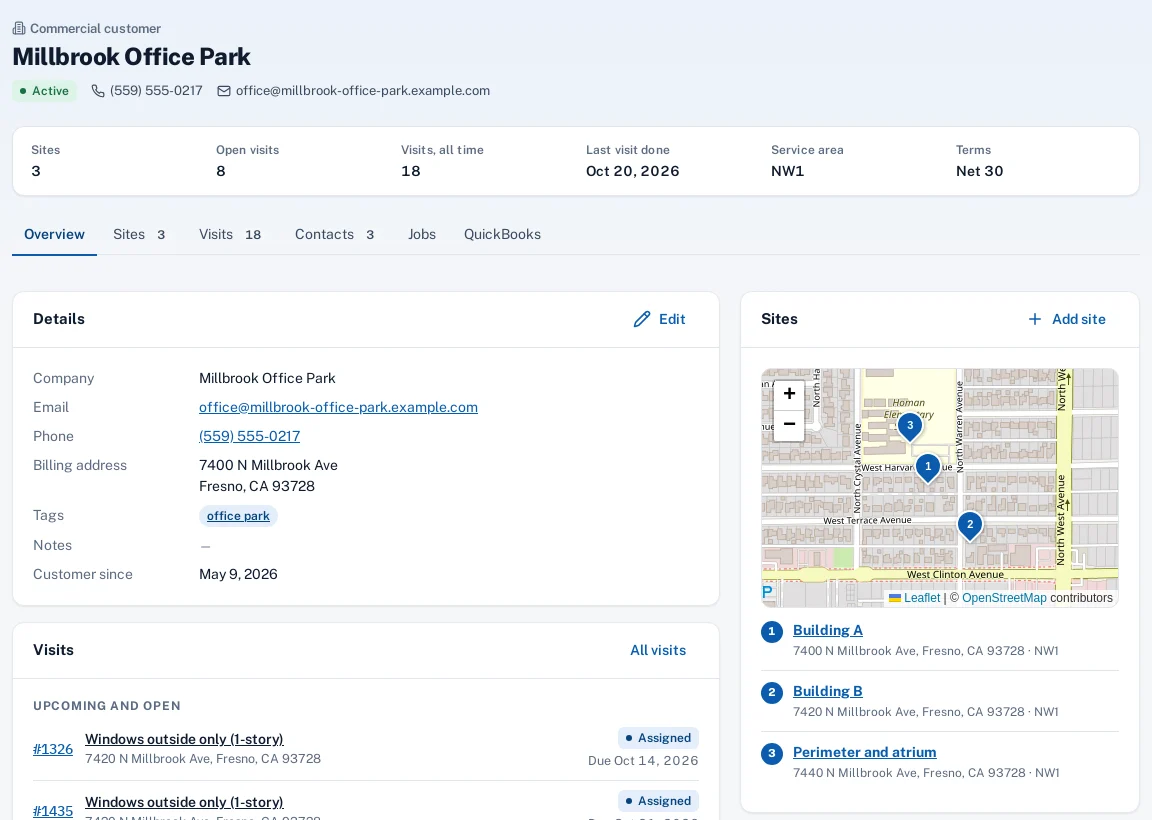
- A window cleaning company on QuickBooks Desktop. The office runs the Web Connector once. Each building kept as a sub-customer in QuickBooks becomes a site under the property manager.
- An HVAC company on QuickBooks Online. The owner connects QuickBooks Online, links 40 customers that were already in Sentra Scheduler and creates the rest in one review.
How it works
Connect
Sign in to QuickBooks Online, or download a .qwc file for the Web Connector on the QuickBooks PC.
Sync
Customers, sub-customers and service items are read from QuickBooks.
Review
Matched, new and to-check records side by side. Create, link or skip each one.
Keep in step
Later syncs update linked customers on their own; only new records come back for review.
Key features
Online and Desktop
QuickBooks Online by sign-in, and QuickBooks Desktop through Intuit’s Web Connector.
Read only
Import only: nothing in QuickBooks is created or changed.
Review before saving
Possible duplicates are flagged; you decide what’s created, linked or skipped.
Sub-customers as sites
Bring sub-customers in as sites under the parent, or as separate customers.
Service items too
Your QuickBooks service items are read along with the customers.
Import history
Every sync, with what was created, updated and skipped.
Common questions
Does it send invoices to QuickBooks?
No. Today it imports customers and service items only, and doesn’t write to QuickBooks.
Which QuickBooks versions?
QuickBooks Online, and QuickBooks Desktop versions that run Intuit’s Web Connector.
What if a customer is already here?
The review shows the likely match; link it and QuickBooks keeps that customer up to date from then on.