
Tell customers when you’ll be there, and remind them the day before.
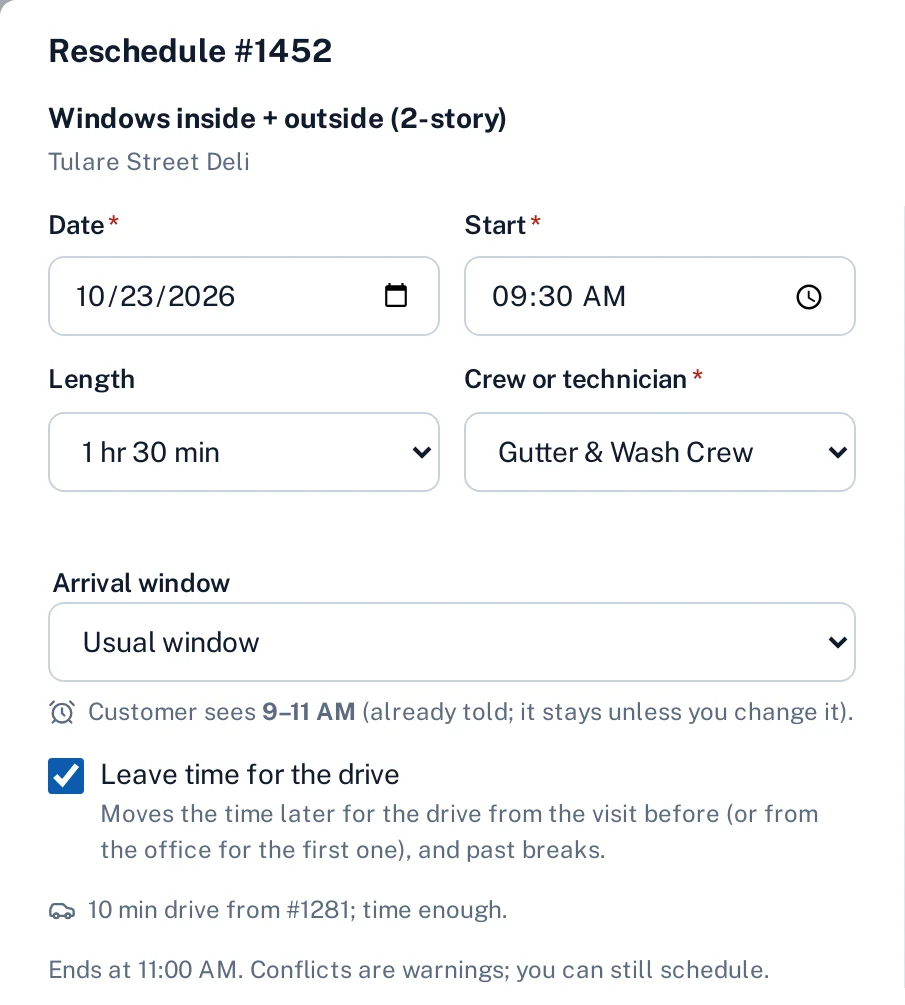
Every scheduled visit carries an arrival window, like 8–10 AM. Sentra Scheduler can email the customer when the visit is booked, sends a reminder the day before, and lets the technician tap On my way so the customer knows they’re coming.
Why it matters
“What time are you coming?” is the call the office takes all day, and a customer who forgot the visit means a locked gate and a wasted trip.
In practice
- A window cleaning company. A homeowner is promised 8–10 AM on Tuesday. The reminder arrives Monday at 4 PM, so the side gate is unlocked when the crew pulls up.
- An HVAC company. A repair runs long. The office pushes the rest of the technician’s day, and the schedule flags the visit that would now start after its promised window, so the office calls that customer first.
How it works
Book the visit
The window follows the planned start: a visit at 8:30 is promised 8–10 AM. The office can set its own window, like 8 AM–12 PM, or none.
Confirm it
When you turn it on, the customer gets a booking email, and a new one if the day or the window changes.
Remind the day before
A reminder goes out the afternoon before, at the time you choose.
On my way
The technician taps On my way; the customer gets their first name and an arrival estimate from the drive.
Key features
Arrival windows
Two hours from the start by default, a length you choose, or none. Shown on the schedule, the crew app, the tracking page and the job ticket.
Outside the window
Once the customer has been told a window it holds, and the schedule warns when a move starts the visit outside it.
Booking confirmations
An optional email when a visit is booked or its day or window changes. Quick moves and Undo send one email, not five.
Day-before reminders
One reminder per visit per date, at your reminder time; 4 PM unless you change it.
On my way
One tap in the crew app emails the customer the technician’s first name and when to expect them.
Your wording, in English and Spanish
Turn each email on or off and edit it in Admin. The visit lists everything the customer was sent.
Common questions
Do you send text messages?
Not today. Customer updates go by email, and the tracking page shows the window too.
Who gets the emails?
The site contact when the site has one, otherwise the customer.
Does every drag on the schedule send an email?
No. A booking email waits two minutes and replaces any that’s still waiting, so a few quick moves or an Undo send one email. Updates that no longer apply when they’re due are skipped.
Can we turn them off?
Yes. Booking emails are off until you turn them on; reminders and On my way can each be turned off.