
Set up the work once. The visits show up when they’re due.
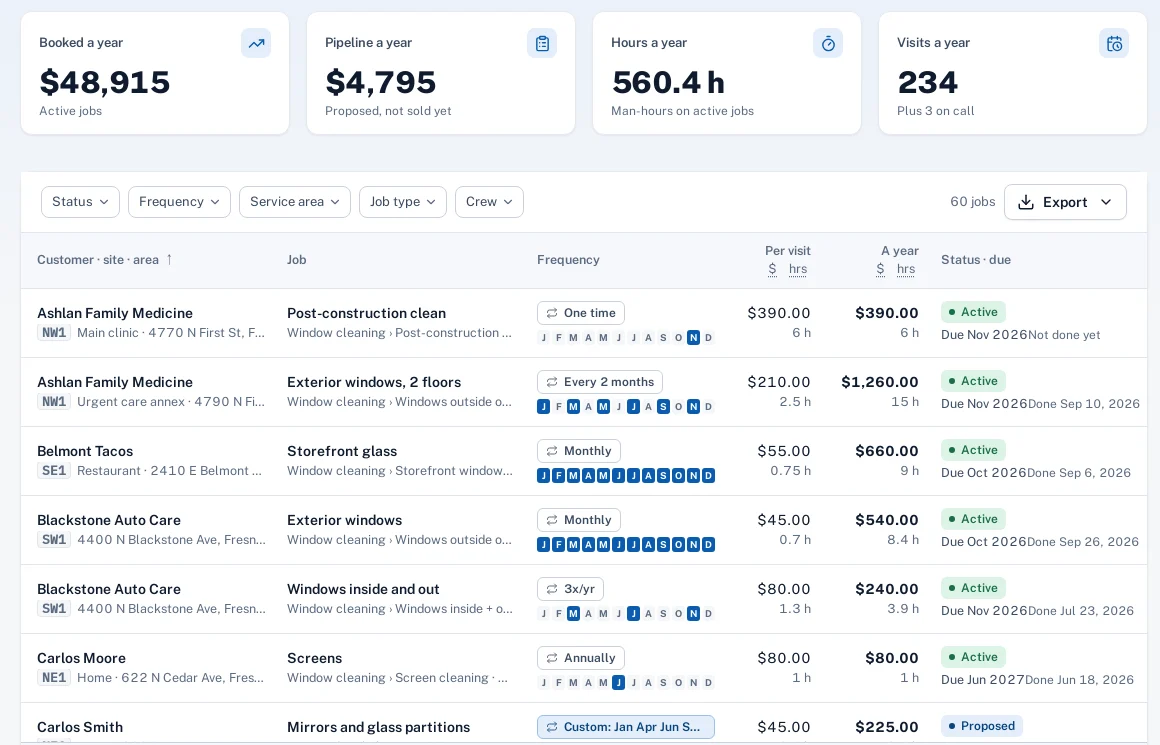
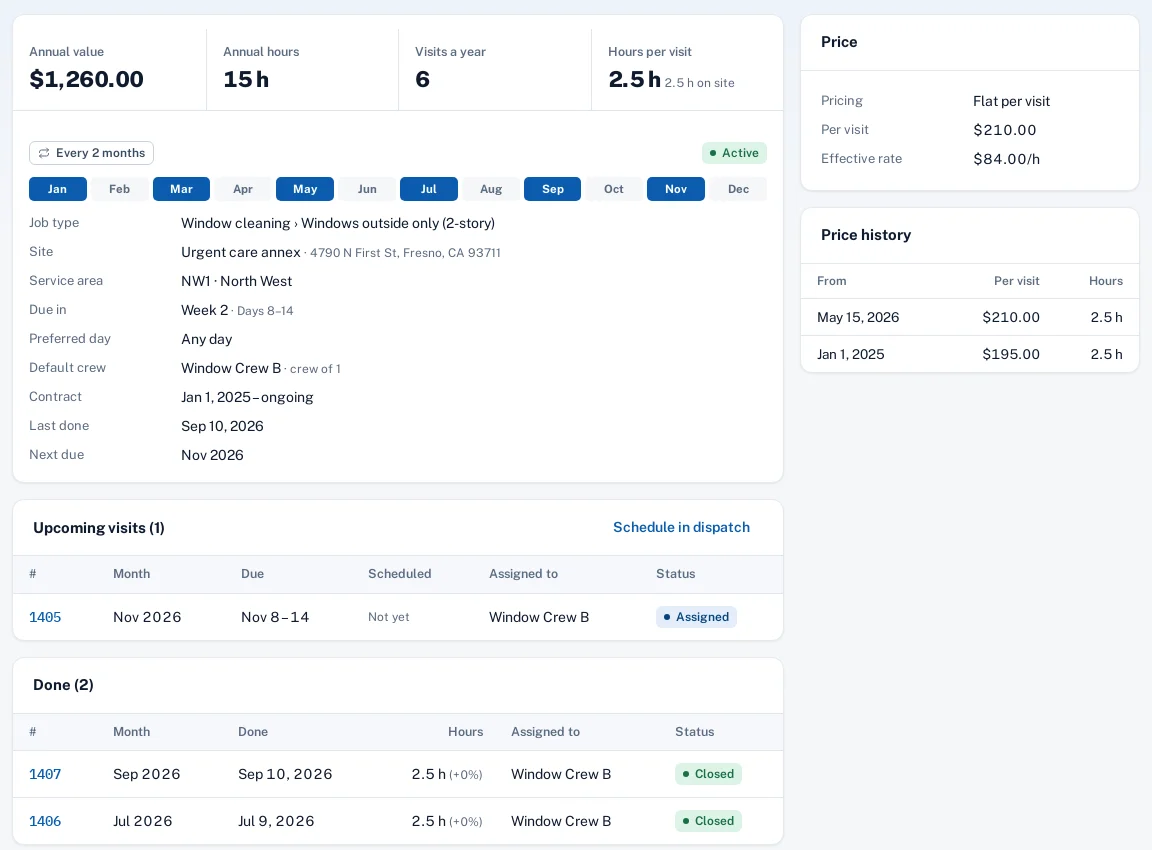
A recurring job is the ongoing work at a site: how often, which months, which week of the month, hours and price per visit. Sentra Scheduler adds up its annual value and puts each visit into the week it’s due, ready to schedule.
Why it matters
Recurring customers are the core of the business, but the plan for the year sits in a spreadsheet, and visits get missed because nobody remembered that March is a quarterly month.
In practice
- A window cleaning company. A bank branch gets exterior windows monthly and interior plus exterior three times a year, in week 2 of February, June and October. Both jobs sit on the same site, each with its own price.
- An HVAC company. A restaurant has a spring and fall maintenance job, two hours each with a crew of one, at a flat price. Both visits appear in April and October without anyone setting a reminder.
How it works
Create the job
Customer, site, job type and scope notes, the way the crew should read them.
Set the frequency
Monthly, quarterly, three or two times a year, annual, custom months, one time or on call.
Hours and price
Hours per visit, crew size, and a flat price or an hourly rate.
Visits are made
Each visit lands in its due week, waiting in the schedule’s tray.
Key features
Months and week of the month
Pick the months, and week 1, 2, 3 or 4 when the customer expects you then.
On-call jobs
Kept on file with their price and hours, and turned into a visit when the customer calls.
Annual value
Visits per year × price per visit, with hours, on the job and the customer.
Default crew and preferred day
Visits go to the crew that usually does the work.
Change this visit or all to come
Edits apply to future visits that haven’t been scheduled or worked yet.
Proposed jobs
Quoted, not sold: counted as pipeline value, with no visits until it’s active.
Common questions
Can one site have several recurring jobs?
Yes. Each service gets its own job with its own frequency, months, hours and price.
Can we bring in the spreadsheet we use today?
Yes, with the job spreadsheet import: a dry run first, then apply, and it can be undone.
Do technicians see prices?
No. Prices and annual values are for the office only.
Does this create invoices?
No. Sentra Scheduler doesn’t invoice. Prices are kept for annual value, the forecast and price reviews.